
CalDigit USB-C SOHO Gen.2 – Why choose?
Unlike typical USB-C docks or hubs, the CalDigit USB-C SOHO Dock offers full 10Gb/s USB-C performance. This extra throughput allows this dock to offer features not found in traditional 5Gb/s USB-C hubs.
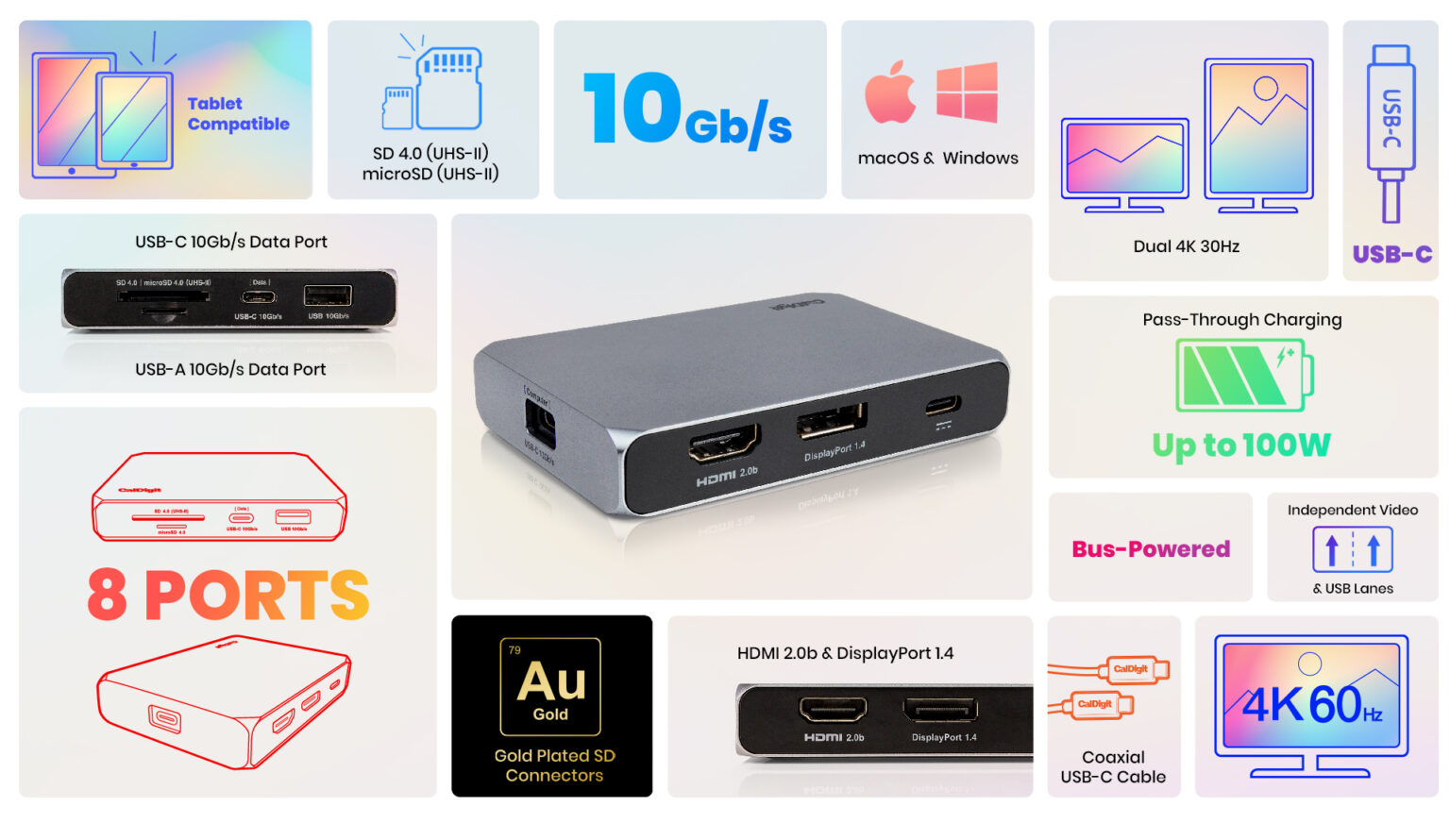
Benefits of a Gen.2 Device:
– Double Performance - From 5Gb/s to 10Gb/s
– Full 4K 60Hz Monitor Support
– Dual Monitor Support
– Connect Fast SSD Storage
– Support up to 100W Power Delivery to SOHO Dock
– Support up to 90W Laptop Charging
The benefits of a 10Gb/s USB-C device over a 5Gb/s device set it apart from vast amount of hubs on the market. Whether you want to take full advantage of a 4K 60Hz monitor or connect an ultra-fast SSD, the USB-C SOHO Dock has all the features you need in a small bus-powered device.
BUILT-IN DUAL MONITOR CONNECTIVITY
In order to really take advantage of dual monitor connectivity a 10Gb/s USB-C device is a must. Whilst traditional USB-C hubs make do with half the performance, the USB-C SOHO Dock is able to take full advantage of its 10Gb/s performance to offer dual video connectivity. Up until now dual monitor connectivity had been resigned to full-size mains powered USB-C docks. This is now available in a compact and portable device.
Unlike other Gen.1 USB-C hubs on the market that tend to overpromise on connectivity, the CalDigit USB-C SOHO Dock has been designed to have just the right amount of ports in order to not exceed the power output that your laptop’s USB-C or Thunderbolt 3 port can provide.
It is of paramount importance to CalDigit, that when all of the ports are used at once, there are no power issues.
COMPATIBILITY
Whether you are using a USB-C, Thunderbolt 3, or Thunderbolt 4 laptop, the USB-C SOHO Dock will work on all of them.
MacBook with USB-C
Thunderbolt™ 3 Macs: MacBook Pro, MacBook Air, iMac, Mac mini & Mac Pro
Thunderbolt/USB4 Macs: Apple M2, M1, M1 Pro, & M1 Max
Windows PC with USB-C (Gen.1 5Gb/s) *
Windows PC with USB-C (Gen.2 10Gb/s)
Windows PC with Thunderbolt™ 3 or Thunderbolt™ 4
*Windows Users with Gen.1 USB-C port will have reduced functionality.
Technical Specifications
Interface :
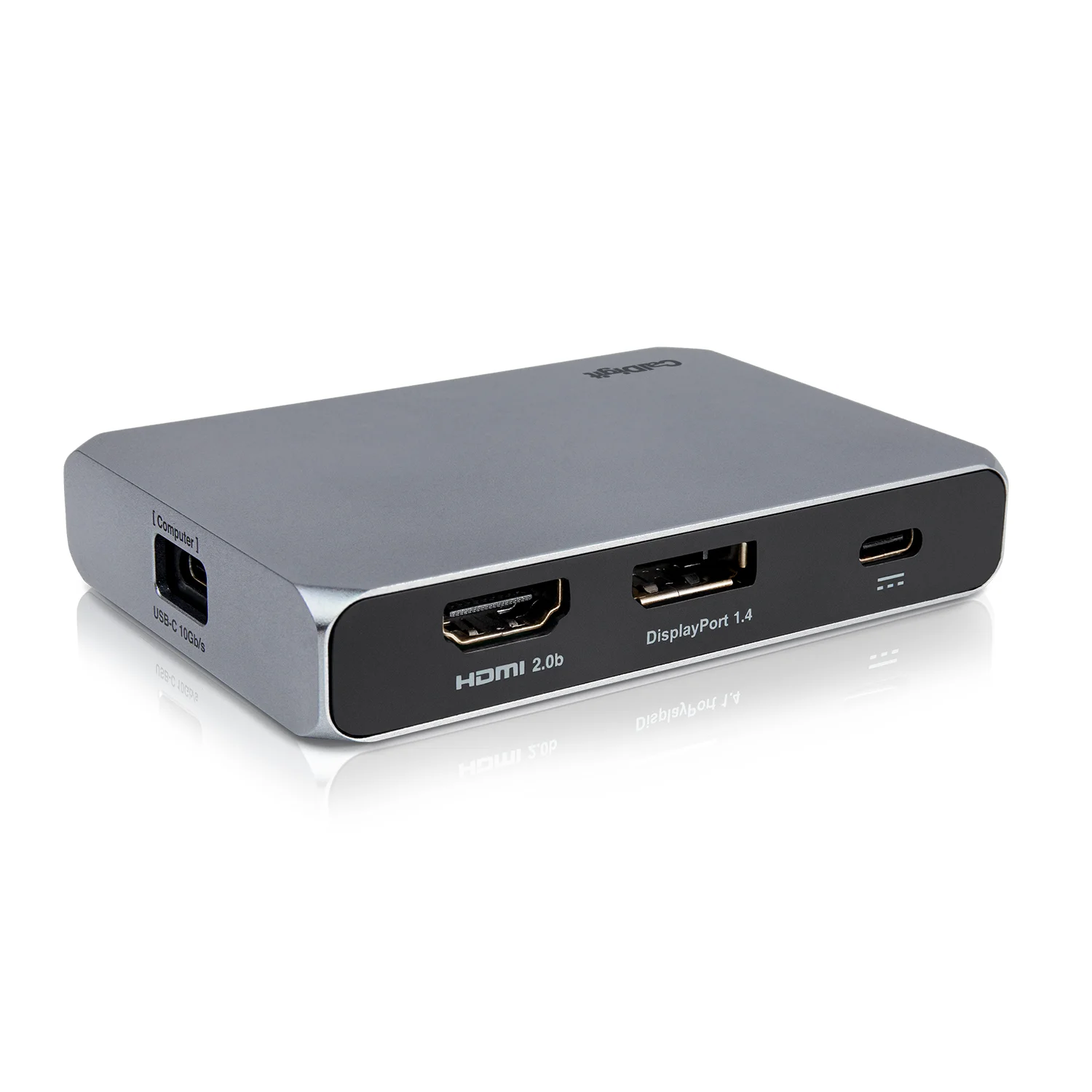
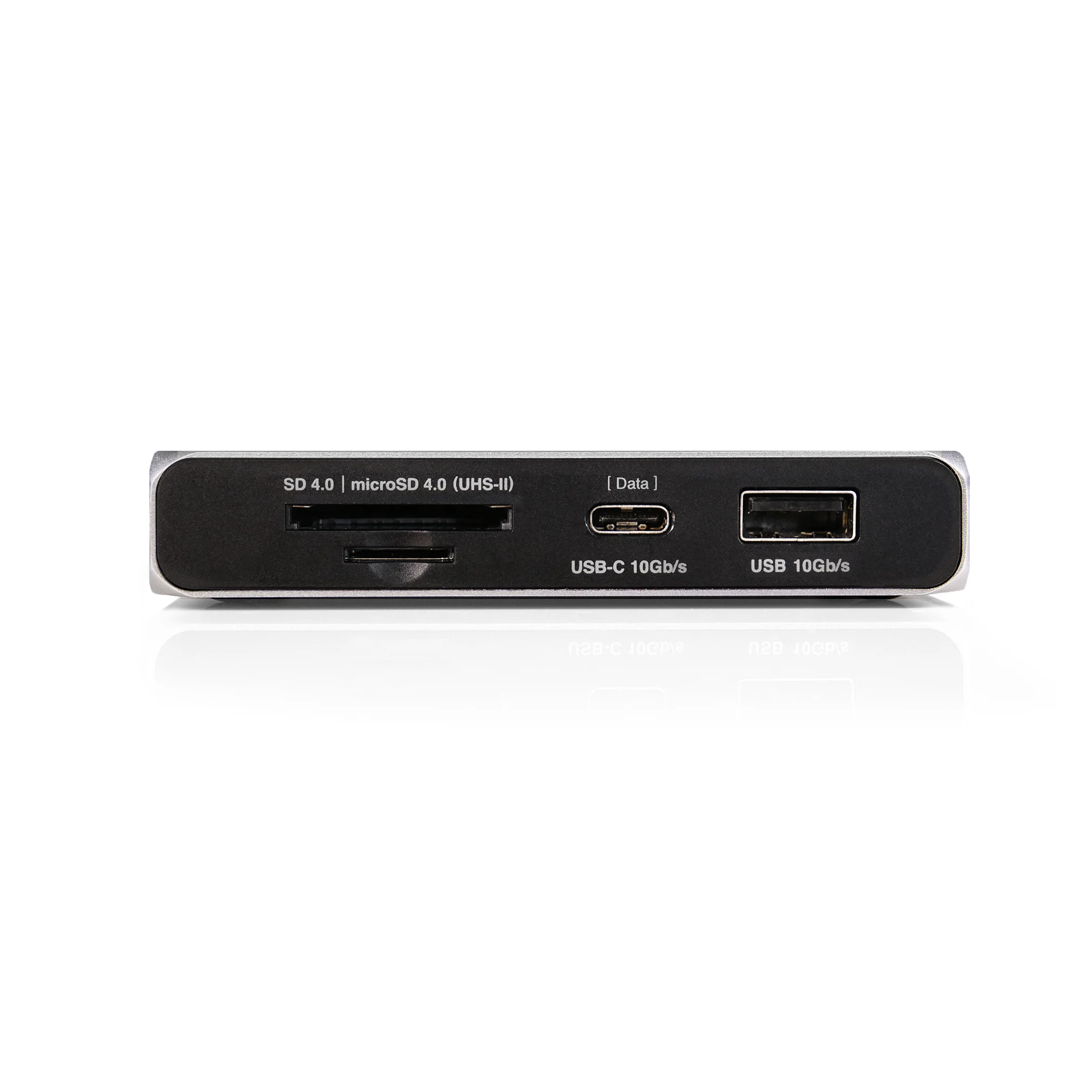
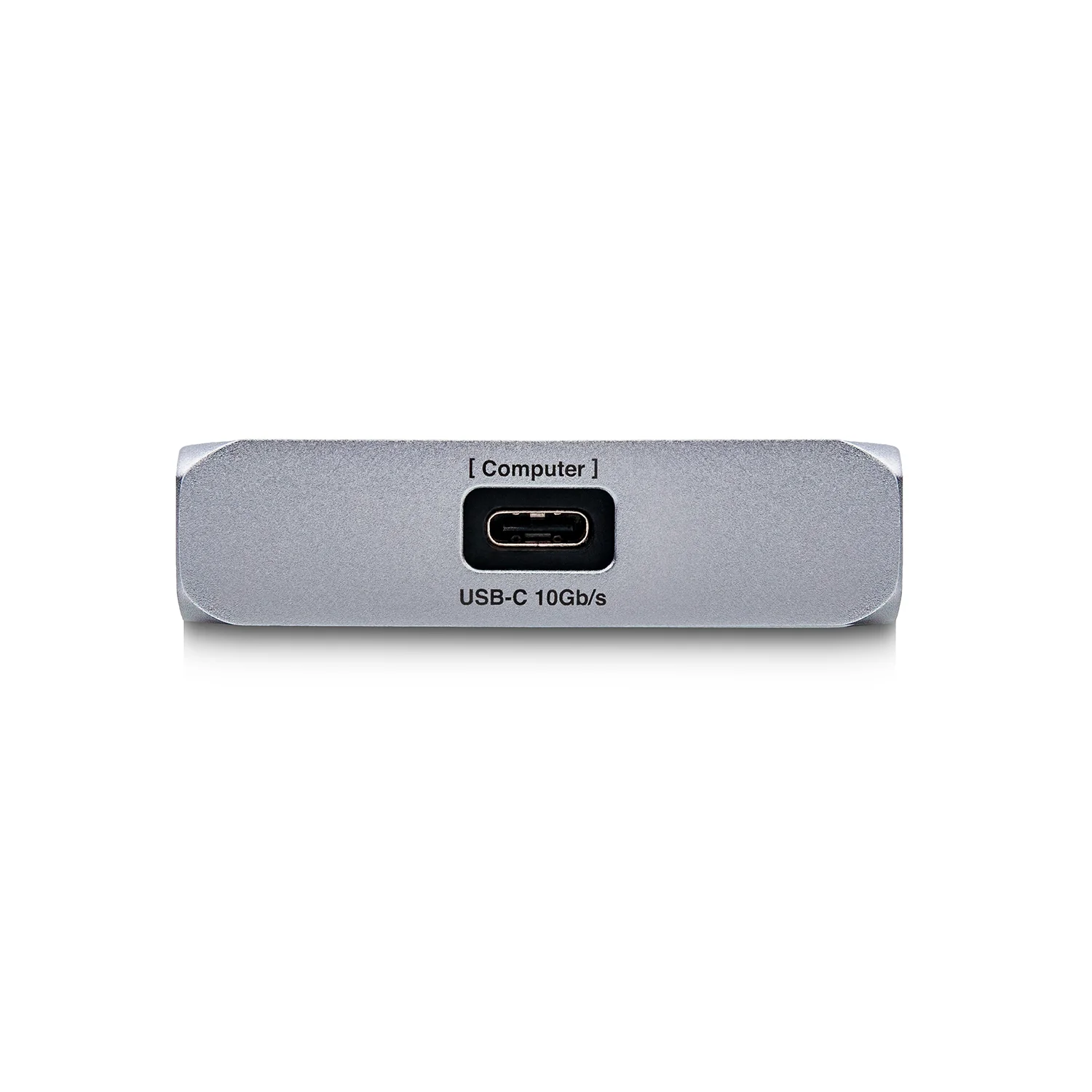
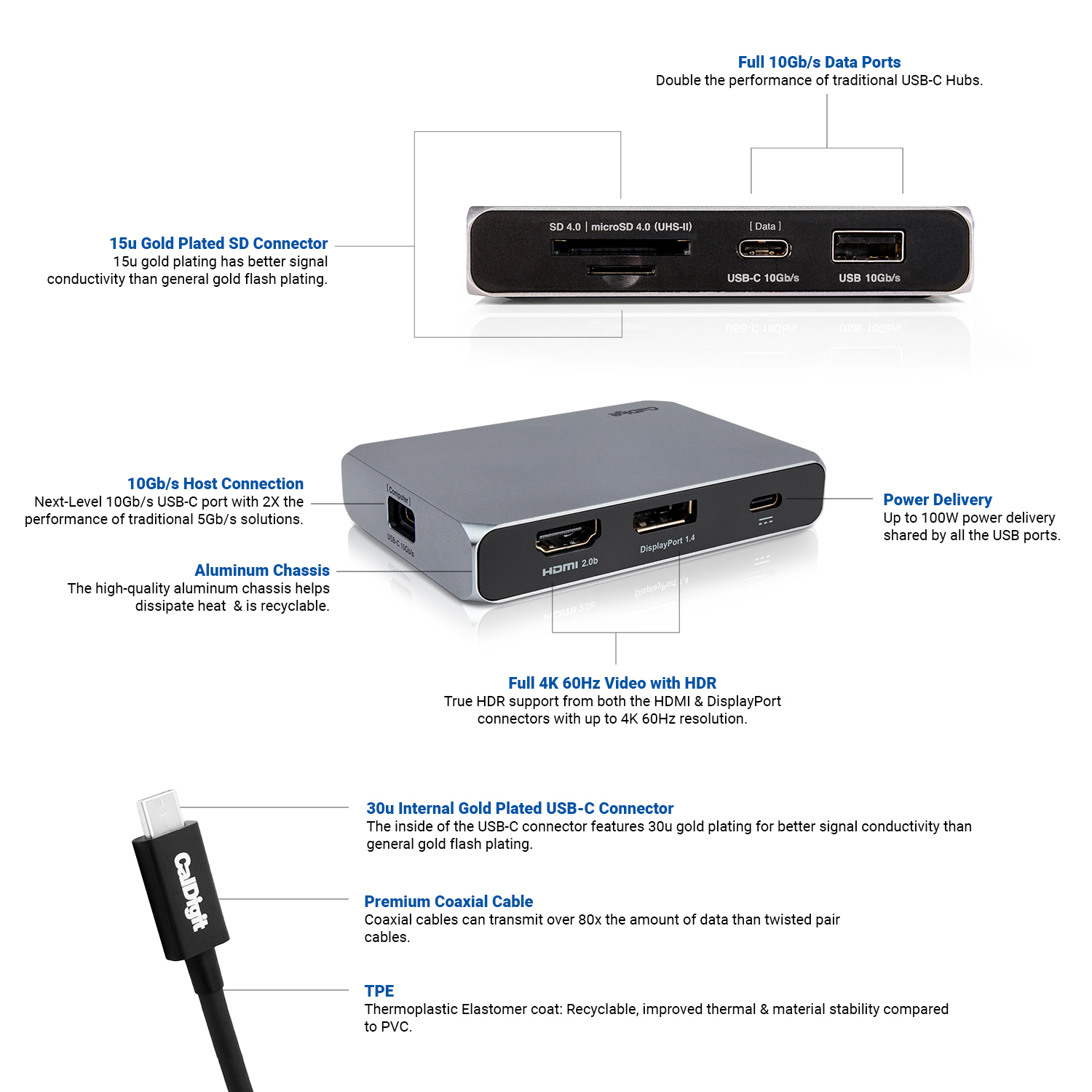
–1 x USB-C 10Gb/s (Host Connection) 1 x USB-C 10Gb/s (Data Port) 1 x USB-C (Power Delivery) 1 x DisplayPort 1.4 1 x HDMI 2.0b 1 x USB-A 10Gb/s (Data Port) 1 x SD 4.0 UHS-II Card Reader 1 x microSD UHS-II Card Reader
System Requirements
–macOS 10.13.6 or later Windows 10 or later iPadOS 13.6 or later iOS 17 or later USB-C Laptop or Tablet USB-C iPhone Thunderbolt 3 or Thunderbolt 4 Laptop
Video Resolutions
– Single Monitor Resolution (Mac & PC): 4K 60Hz Dual “Mirrored” Monitor Resolution (Mac & PC): 4K 60Hz3 Dual “Extended” Monitor Resolution (PC): 4K 30Hz4
Dimension and Weight
– Height : 0.75in (19mm) Width : 2.53in (64.3mm) Length : 3.66in (93mm) Weight: 0.19lbs (0.09kg)
Power
– Type-C Powered or Bus-Powered
– Type-C Host Charging
– Up to 100W PD to SOHO Dock. Up to 90W Pass-Through PD Charging to Laptop.¹ Supports Type-C chargers from 18W
In the box
– 1 x USB-C SOHO Dock 1 x USB-C Cable (0.5m)